How to File TDS Returns Using Tax Software: A Practical Approach
How to File TDS Returns Using Tax Software: A Practical Approach explained simply with steps, compliance tips, and expert guidance.
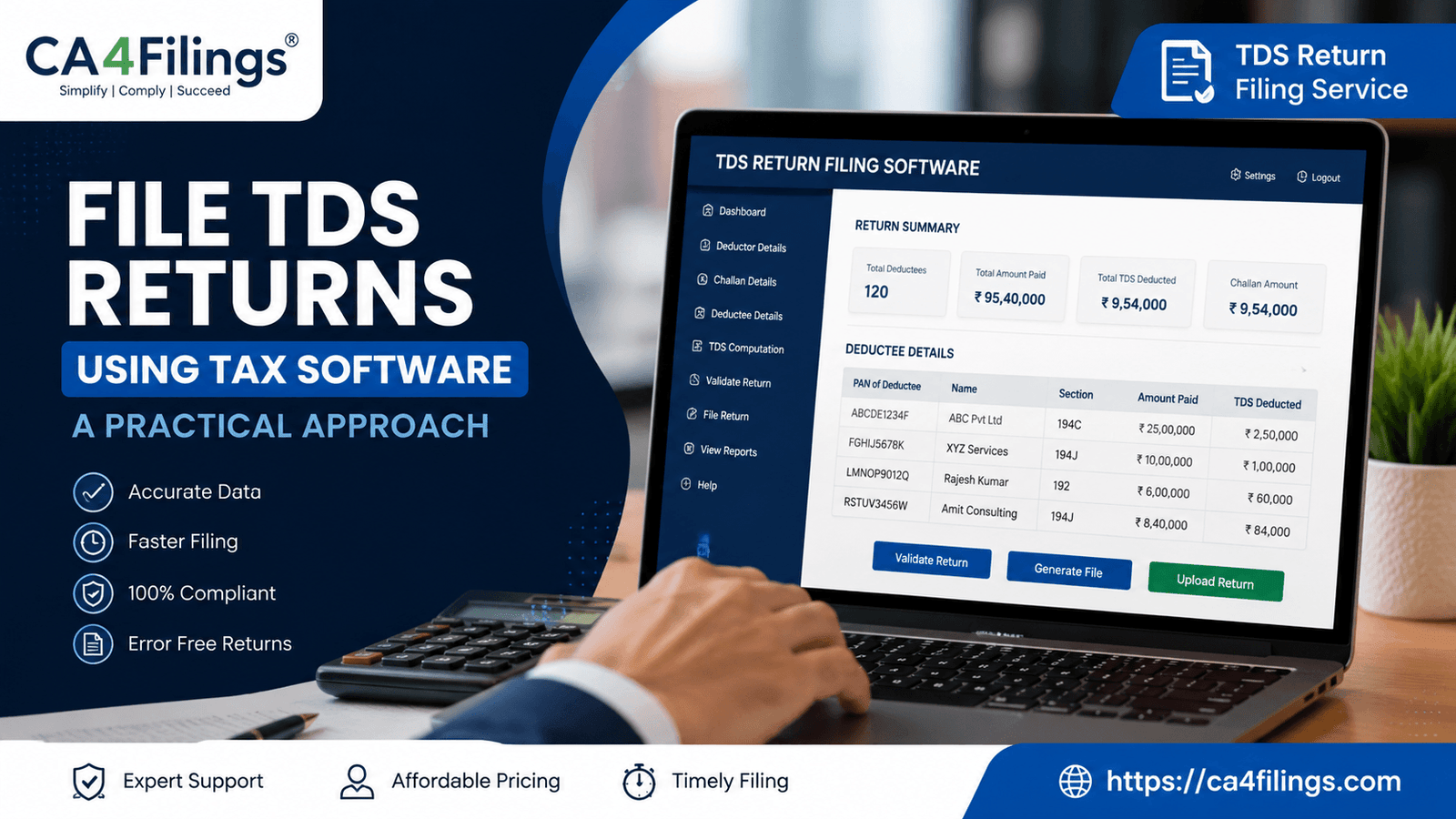
For businesses, professionals, and employers in India, TDS compliance is no longer just a statutory requirement—it is a critical part of smooth financial management. Yet, many taxpayers still find TDS return filing confusing due to changing formats, validation rules, and compliance timelines. That is exactly why understanding How to File TDS Returns Using Tax Software: A Practical Approach can make the entire process simpler, faster, and error-free.
At CA4Filings, we regularly assist businesses that struggle with incorrect challan entries, PAN mismatches, and last-minute filing stress. Using the right software can significantly reduce these issues while saving valuable time. If you are looking for professional assistance for TDS Return Filing Service, expert support can help ensure timely and accurate compliance without unnecessary penalties.
In this article, we will explain How to File TDS Returns Using Tax Software: A Practical Approach in a simple and practical manner so that even first-time filers can understand the process comfortably.
Understanding TDS Return Filing
Before discussing How to File TDS Returns Using Tax Software: A Practical Approach, it is important to understand what TDS return filing actually means.
TDS (Tax Deducted at Source) is deducted by a deductor while making specified payments such as:
- Salary
- Contractor payments
- Professional fees
- Rent
- Interest payments
The deductor must deposit the deducted tax with the Income Tax Department and file quarterly TDS returns containing details of:
- PAN of deductee
- Amount paid
- TDS deducted
- Challan details
Failure to file returns on time may result in:
- Late filing fees under Section 234E
- Penalties
- Notices from the department
This is where tax software becomes highly useful.
Why Businesses Prefer Tax Software for TDS Filing
When discussing How to File TDS Returns Using Tax Software: A Practical Approach, one practical point becomes clear—manual filing is time-consuming and highly prone to errors.
Key Benefits of Using Tax Software
Automatic Data Validation
The software checks:
- Invalid PAN numbers
- Incorrect challan entries
- Deduction mismatches
- Wrong section codes
Faster Return Preparation
Instead of preparing lengthy spreadsheets manually, the software automates calculations and return generation.
Error Reduction
Most TDS defaults happen due to data entry mistakes. Good tax software minimizes such errors.
Easy Correction Returns
If mistakes occur after filing, correction returns can be generated easily.
Compliance Tracking
Many software tools provide reminders for:
- Due dates
- Challan deposits
- Return filing schedules
For growing businesses handling multiple vendors or employees, software-based filing becomes almost essential.
How to File TDS Returns Using Tax Software: A Practical Approach
Now let us understand How to File TDS Returns Using Tax Software: A Practical Approach step by step.
Step 1: Collect Required Documents and Data
Before starting the filing process, gather all necessary information.
Important Documents
- TAN details
- PAN of deductor and deductees
- Salary or payment records
- TDS challan details
- Previous return data (if applicable)
Practical Tip
One common issue we notice at CA4Filings is incorrect PAN collection from vendors. Always verify PAN details before filing to avoid defaults.
Step 2: Select the Right Tax Software
A major part of How to File TDS Returns Using Tax Software: A Practical Approach is choosing suitable software.
Features to Look For
- NSDL/FVU compatibility
- Automatic validation
- Correction return support
- Bulk PAN verification
- Excel import facility
- User-friendly dashboard
Businesses with high transaction volumes should prefer software that supports bulk uploads and automated reconciliation.
Step 3: Enter Deductor Information
Once the software is installed:
- Enter TAN details
- Name and address of deductor
- Contact information
- Financial year and quarter
Ensure these details exactly match Income Tax records.
Even a small mismatch can result in rejection during validation.
Step 4: Add Deductee Details
This is one of the most important stages in How to File TDS Returns Using Tax Software: A Practical Approach.
Information Required
- PAN of deductee
- Nature of payment
- Amount paid
- Date of payment
- TDS amount deducted
- Applicable TDS section
Common Sections
- Section 192 – Salary
- Section 194C – Contractor payments
- Section 194J – Professional fees
- Section 194I – Rent
Practical Example
Suppose a company pays ₹50,000 to a consultant under Section 194J. The software automatically calculates applicable TDS and validates deduction rates based on the entered section.
This significantly reduces manual calculation errors.
Step 5: Enter Challan Details
After depositing TDS through Challan 281, the following details must be entered:
- BSR code
- Challan serial number
- Date of deposit
- Amount deposited
Important Advice
Many TDS notices arise because businesses enter incorrect challan numbers. Always cross-check challan details carefully before validation.
Step 6: Validate the Return File
An essential part of How to File TDS Returns Using Tax Software: A Practical Approach is validating the return through FVU (File Validation Utility).
The software generally performs:
- PAN structure validation
- Challan matching
- Deduction consistency checks
- Format verification
If errors are found, correct them immediately before proceeding.
Step 7: Generate the TDS Return File
After successful validation:
- Generate the .fvu file
- Prepare Form 27A
- Save backup copies
Different forms apply for different return types:
| Form | Purpose |
|---|---|
| Form 24Q | Salary payments |
| Form 26Q | Non-salary resident payments |
| Form 27Q | Non-resident payments |
| Form 27EQ | TCS returns |
Step 8: Upload the Return
The final stage in How to File TDS Returns Using Tax Software: A Practical Approach is uploading the validated return.
Returns can be uploaded through:
- Income Tax portal
- Authorized TIN-FCs
- E-filing utility
After successful upload:
- Download acknowledgment
- Save token number
- Keep filing proof safely
Common Mistakes to Avoid While Filing TDS Returns
Even while using software, certain mistakes are common.
Incorrect PAN Entries
Wrong PAN details lead to higher TDS rates and defaults.
Challan Mismatch
Incorrect challan mapping creates unnecessary notices.
Wrong Section Selection
Using an incorrect TDS section may result in short deduction defaults.
Delay in Filing
Late filing attracts mandatory late fees.
Ignoring Validation Errors
Never upload returns without resolving software validation issues.
Practical Tips from CA4Filings
As professionals handling TDS compliance regularly, we recommend the following while learning How to File TDS Returns Using Tax Software: A Practical Approach:
Maintain Monthly Records
Do not wait until quarter-end to organize payment data.
Reconcile Books Regularly
Match TDS deductions with accounting records every month.
Verify Vendor PAN Before Payments
This avoids higher TDS deductions under Section 206AA.
Use Updated Software Versions
TDS utilities and validation rules frequently change.
Keep Backup Copies
Always store acknowledgment numbers and filed returns securely.
Why Professional Guidance Still Matters
Although software simplifies filing, professional review remains important for:
- Complex transactions
- Multiple branches
- Salary restructuring
- Lower deduction certificates
- Correction returns
At CA4Filings, we often help businesses rectify notices caused by small filing errors that could have been prevented with expert review.
FAQs on How to File TDS Returns Using Tax Software: A Practical Approach
Is tax software mandatory for TDS filing?
No, but it is highly recommended because manual filing increases the chances of errors and delays.
Can small businesses use TDS software easily?
Yes. Most modern software solutions are designed for small and medium businesses with user-friendly interfaces.
What happens if TDS returns are filed late?
Late filing fees under Section 234E are charged at ₹200 per day until the return is filed.
Can correction returns be filed through tax software?
Yes. Most professional TDS software allows easy correction return filing.
Which TDS form should businesses use?
It depends on the type of payment:
- 24Q for salary
- 26Q for resident non-salary payments
- 27Q for non-resident payments
Understanding How to File TDS Returns Using Tax Software: A Practical Approach can help businesses improve compliance, reduce filing errors, and avoid unnecessary penalties. With proper software, accurate data management, and timely filing, the TDS return process becomes much more efficient and manageable.
However, software alone cannot replace practical compliance knowledge. Businesses must ensure correct section selection, accurate challan entries, and proper reconciliation before submission.
At CA4Filings, we help businesses, startups, professionals, and employers handle TDS compliance smoothly with practical guidance and expert support. Whether you need quarterly filing assistance, correction return support, or complete TDS management, our team ensures your compliance stays accurate and stress-free.
Latest Updates
ca4filings.com Services


























-registration.png)