E-Filing Portal
Master the Income Tax E-Filing Portal with expert insights from CA4Filings. Learn how to log in, file returns, and avoid common errors smoothly.
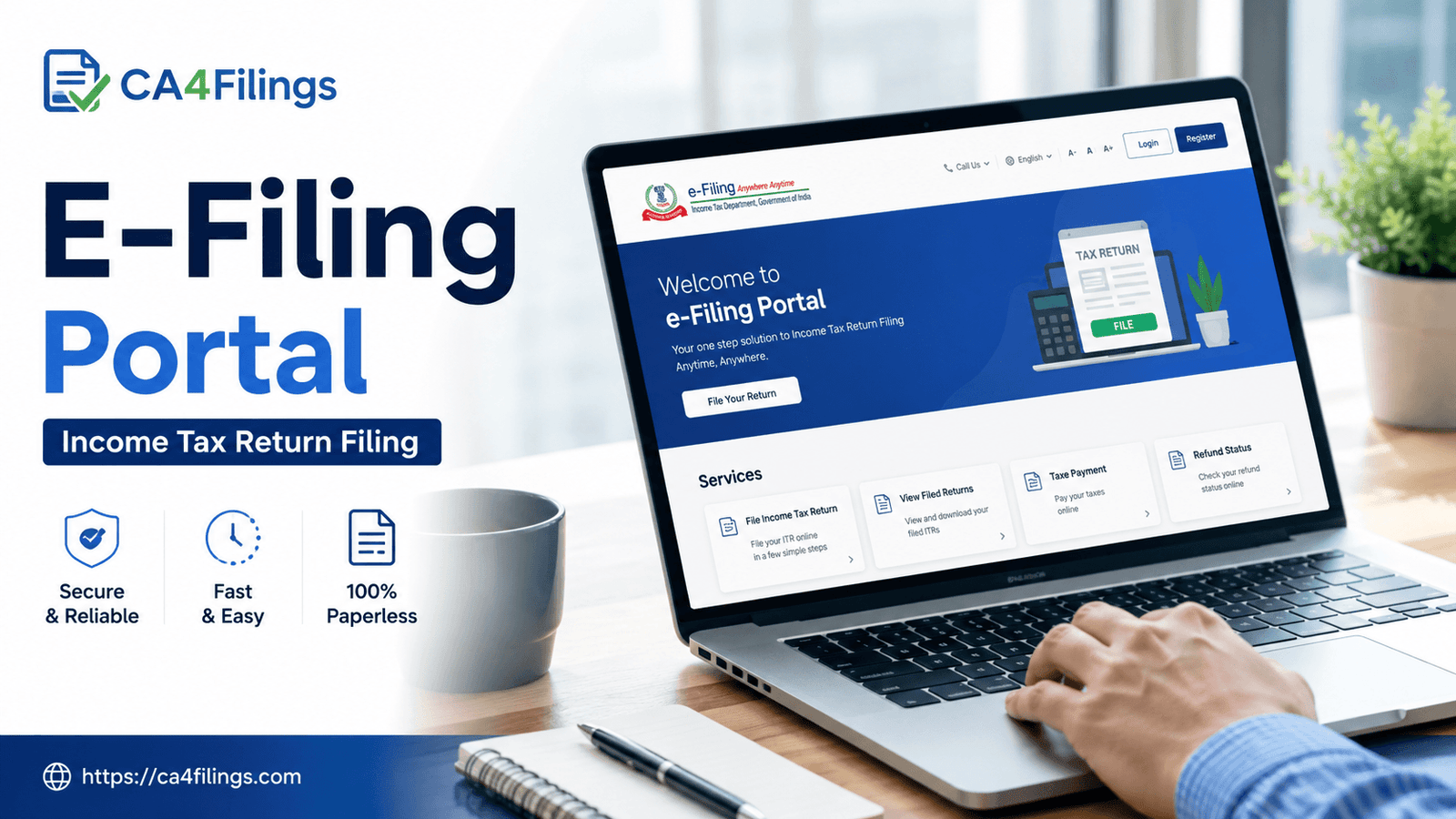
Every year around July, my phone starts ringing off the hook. Clients—ranging from salaried professionals to seasoned business owners—all have the same look of panic in their eyes. They’ve opened the official government portal, got lost in a sea of technical jargon, and realized they have no idea what to click next. If you have ever felt overwhelmed by the official Income Tax E-Filing Portal, let me reassure you: you are not alone.
At CA4Filings, we live and breathe tax compliance. We know that navigating the government’s online tax gateway can feel like cracking a secret code. However, once you understand how the system is organized, it becomes a remarkably powerful tool for managing your financial footprint. Whether you are filing your taxes for the very first time or running a scaling business, mastering the E-Filing Portal is the single best way to stay compliant, claim your refunds faster, and avoid nagging notices from the tax department. If you find the process too complex, you can always rely on our professional Income Tax Return Filing service to handle everything seamlessly on your behalf.
What is the Income Tax E-Filing Portal?
In simple terms, the E-Filing Portal is the digital gateway provided by the Income Tax Department of India. It allows taxpayers to interact with the tax department without ever having to step foot inside a physical tax office.
Gone are the days when you had to print out thick stacks of paper, wait in agonizingly long queues, and manually submit your forms. Today, the E-Filing Portal handles everything from registration and tax filing to processing refunds and responding to legal notices. Think of it as your virtual, 24/7 tax office.
Core Services Available on the E-Filing Portal
The modern platform is designed to be a one-stop-shop. As CAs, we use this portal daily to manage diverse client portfolios. Here are the most critical services you can access:
1. Income Tax Return (ITR) Filing
This is, of course, the primary function of the platform. The portal hosts various ITR forms (from ITR-1 for salaried individuals up to ITR-7 for trusts and companies). It automatically pre-fills a large portion of your data from your salary, bank interest, and TDS details to save you time.
2. Checking Tax Credit Statements (Form 26AS & AIS)
Before you file, you must cross-check how much tax has already been deducted from your income. The E-Filing Portal links directly to your Annual Information Statement (AIS) and Form 26AS. This lets you view TDS deducted by your employer, your bank, or your clients in real time.
3. E-Verification of Returns
Filing your ITR is only half the battle. Your return is not considered valid until it is verified. The portal allows you to instantly e-verify your ITR using a simple Aadhaar OTP, net banking, or a Digital Signature Certificate (DSC).
4. Tracking Refund Status
If you have paid excess tax, you are legally entitled to a refund. The portal provides a transparent tracking mechanism so you can see exactly when your refund is approved and credited to your bank account.
Step-by-Step Guide: Navigating the E-Filing Portal
If you prefer to tackle the basics yourself, here is a practical, step-by-step roadmap to getting started on the official platform.
Step 1: Registration and Login
For New Users: Click on the 'Register' button on the top right. You will need your PAN (Permanent Account Number), which serves as your unique User ID.
For Existing Users: Click 'Login', enter your PAN, confirm your secure access message, and type in your password.
Step 2: Update Your Profile
Before jumping into filings, ensure your contact details, residential status, and primary bank account are completely updated. A wrong bank account number or incorrect IFSC code is the number one reason tax refunds get delayed.
Step 3: Access the e-File Menu
Navigate to e-File > Income Tax Returns > File Income Tax Return. Select the relevant Assessment Year and choose whether you want to file online or offline using an external utility.
Step 4: Validate Pre-filled Data and Submit
Carefully review the pre-filled data against your Form 16 and investment proofs. Once everything matches perfectly, compute your tax liability, pay any balance tax due, and hit submit.
Pro-Tips from a CA: Avoiding Common Errors
Even with a user-friendly interface, it is remarkably easy to make minor mistakes that lead to automated tax notices. Over the years, we at CA4Filings have noticed a few recurring patterns:
Ignoring the AIS/TIS: Always download your Annual Information Statement (AIS) from the E-Filing Portal before submitting your ITR. If your bank reported Rs. 50,000 in interest income but you only declared Rs. 10,000, the portal’s automated system will flag the mismatch and issue a notice.
Forgetting to E-Verify: You have a strict, limited window to verify your return after filing. If you forget to e-verify via Aadhaar OTP or bank EVC, your filed ITR becomes invalid, and you may face late filing fees.
Selecting the Wrong ITR Form: Choosing between ITR-1, ITR-2, or ITR-3 depends entirely on your income streams. For instance, if you sold equity shares during the year, you cannot file a simple ITR-1; you must upgrade to ITR-2.
Frequently Asked Questions (FAQs)
What should I do if my account on the E-Filing Portal is locked?
If you enter the wrong password too many times, your account will be locked for security reasons. You can unlock it easily by clicking on "Forgot Password" and resetting it using an Aadhaar OTP, a Digital Signature Certificate, or your pre-registered Net Banking account.
Can I revise my ITR after submitting it on the portal?
Yes, absolutely. If you realize you made an error or missed declaring an income source, you can file a Revised Return under Section 139(5) directly through the E-Filing Portal. Ensure you file the revision before the statutory deadline ends.
Why is the portal not showing my tax credits (TDS)?
TDS details take time to reflect on your profile. Your employers or deductors file their TDS returns quarterly. If they file late, your credits won't show up immediately on the portal. Always match your physical TDS certificates with your online statement before finalizing your return.
Is it safe to link my bank account to the portal?
Yes, the platform uses high-level, bank-grade encryption security protocols. Validating and nominating your bank account on the portal is completely safe and absolutely mandatory if you want to receive your tax refunds directly into your account.
Let CA4Filings Take the Weight Off Your Shoulders
The Indian Income Tax E-Filing Portal has evolved into an incredibly robust, digital-first infrastructure. While it has made tax compliance far more accessible, the tax laws behind the portal remain intricate, dynamic, and sometimes confusing for everyday taxpayers. One wrong click or a miscalculated disclosure can lead to unnecessary stress and compliance hurdles.
You do not have to navigate this alone. At CA4Filings, our dedicated team of experienced tax professionals takes the guesswork out of compliance. We handle everything from deep-diving into your financial statements to perfectly executing your submissions on the E-Filing Portal. Let us manage the numbers while you focus on growing your business and enjoying your peace of mind. Get in touch with CA4Filings today, and let’s make your tax season entirely stress-free!
Latest Updates
ca4filings.com Services






















-registration.png)