The Ultimate Troubleshooting Guide for the Income Tax Return ITR Form Portal
Struggling with the tax portal? Our guide solves common issues with your income tax return itr form, from login errors to JSON validation fixes.
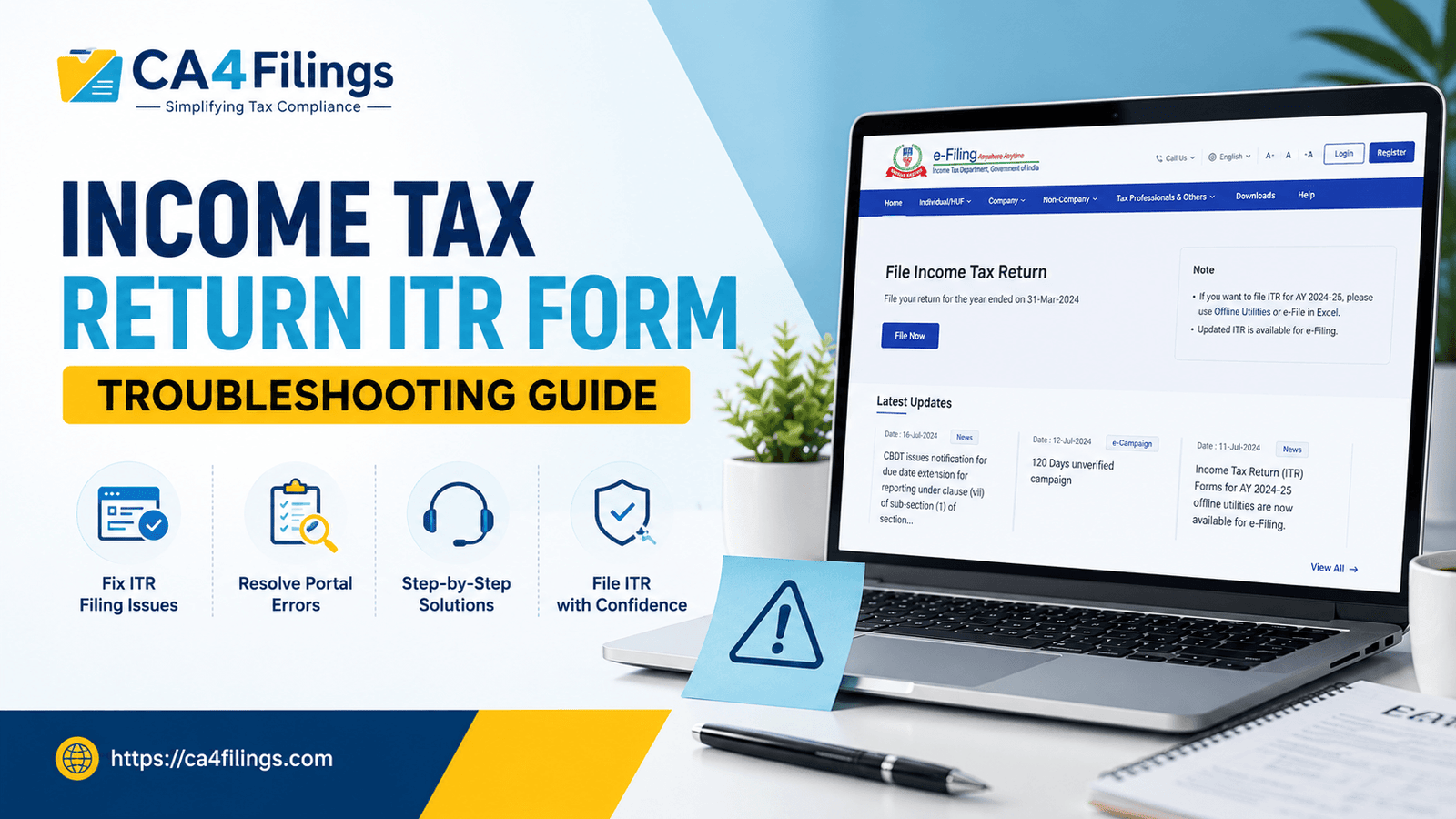
Tax season is often a period of high anxiety for many taxpayers. As a Chartered Accountant at CA4Filings, I frequently see clients pulling their hair out over technical glitches on the income tax department's website. If you are struggling to file your Income Tax Return Filing, you are certainly not alone. Navigating the income tax return itr form portal can feel like a maze, but most issues have straightforward technical fixes if you know where to look.
The official e-filing portal has undergone significant upgrades, yet it remains prone to technical hiccups. Whether you are a business owner or a salaried individual, understanding how to troubleshoot these common roadblocks will save you hours of frustration. In this guide, I will walk you through the most frequent technical hurdles and provide expert solutions to ensure your filing process is as smooth as possible.
Common Portal Login Issues and How to Resolve Them
The first step in completing your income tax return itr form is, of course, logging in. However, many users face frequent portal login issues that can stop the process before it even begins.
Browser Cache and Cookies: This is the most common culprit. If you are facing a "page not found" or a persistent loading screen, try clearing your browser’s cache or using an Incognito/Private window.
Aadhaar-Linked Mobile Number: If you cannot access your account, check if your Aadhaar-linked mobile number is active. The portal relies heavily on Aadhaar authentication.
Password Reset: If you are locked out, avoid repeated failed attempts. Use the "Forgot Password" feature immediately and ensure your new password meets the complexity requirements (alphanumeric with special characters).
Troubleshooting OTP Not Received Errors
One of the biggest pain points during the income tax return itr form process is when the system says the OTP has been sent, but your phone stays silent. When you encounter otp not received errors, follow these professional tips:
Wait for the Cooldown: Do not spam the "Resend OTP" button. This often triggers a temporary block on your account for security reasons. Wait at least 3-5 minutes.
Network Congestion: Sometimes the SMS gateway is overloaded, especially during the peak July filing period. If it fails twice, try again after an hour.
DND Settings: Check if your mobile number is registered under the "Do Not Disturb" (DND) category. Sometimes, service provider filters block automated service messages.
Fixing Common Validation and JSON Schema Errors
Once you reach the filing stage, the income tax return itr form requires the upload of a generated JSON file. If your upload fails, you are likely dealing with json schema errors or validation errors.
Understanding Validation Errors
These occur when the data you entered does not match the portal’s logic. For example, if your TDS claim exceeds the tax liability or if there is a mismatch in your personal details, the system will flag a validation error. Double-check your PAN, bank account validation status, and the tax regime selected.
Handling JSON Schema Issues
If the portal rejects your file, it is often because you are using an outdated offline utility version.
Always Download the Latest Utility: Ensure you have downloaded the latest version of the Excel or Java utility directly from the official e-filing portal.
Field Formatting: Ensure that date formats (DD/MM/YYYY) and numeric fields are strictly followed. Even an extra space in a name field can cause a json schema error.
When to Contact the E-filing Helpdesk
If you have tried clearing your cache, checking your internet, and updating your software, but the income tax return itr form still shows a persistent error, do not panic. It is time to reach out to the e-filing helpdesk.
When contacting them, always keep the following ready:
A clear screenshot of the error message (including the error code if provided).
Your PAN and the Assessment Year you are filing for.
A brief description of the steps you took before the error occurred.
Sending a clear, concise ticket will significantly speed up the resolution time.
Frequently Asked Questions (FAQs)
Q: Why does the ITR portal keep logging me out?
A: This usually happens due to session timeouts. To protect your data, the portal logs you out after a period of inactivity. It is best to keep your documents handy so you can input information quickly.
Q: Can I use a mobile phone to file my ITR?
A: While you can access the portal on a mobile browser, it is highly recommended to use a desktop or laptop. The income tax return itr form utility and validation tools are optimized for desktop environments.
Q: What should I do if my bank account is not validating?
A: Ensure that your PAN is linked to your bank account and that the name on your bank account exactly matches the name on your PAN card.
Q: Is it safe to share my login credentials with anyone?
A: Never share your OTPs or passwords with unverified sources. If you need assistance, ensure you are working with a trusted professional firm.
Filing your taxes correctly is not just a legal requirement; it is a way to ensure you remain compliant and avoid unnecessary penalties. While technical glitches with the income tax return itr form can be frustrating, most of them are temporary and manageable with a bit of patience and the right technical approach.
At CA4Filings, we handle the technical heavy lifting so you don't have to deal with portal errors or complicated schema mismatches. If you find the process overwhelming or simply don't have the time to troubleshoot technical issues, we are here to help. Reach out to the experts at CA4Filings today, and let us ensure your filing process is seamless and stress-free. Your peace of mind is our priority.
Latest Updates
ca4filings.com Services





















-registration.png)