How to Track Your Refund ITR via the New NSDL and Tin Portals
Confused about your tax refund? Learn how to track your refund itr status quickly using the NSDL and Income Tax portals with our expert guide.
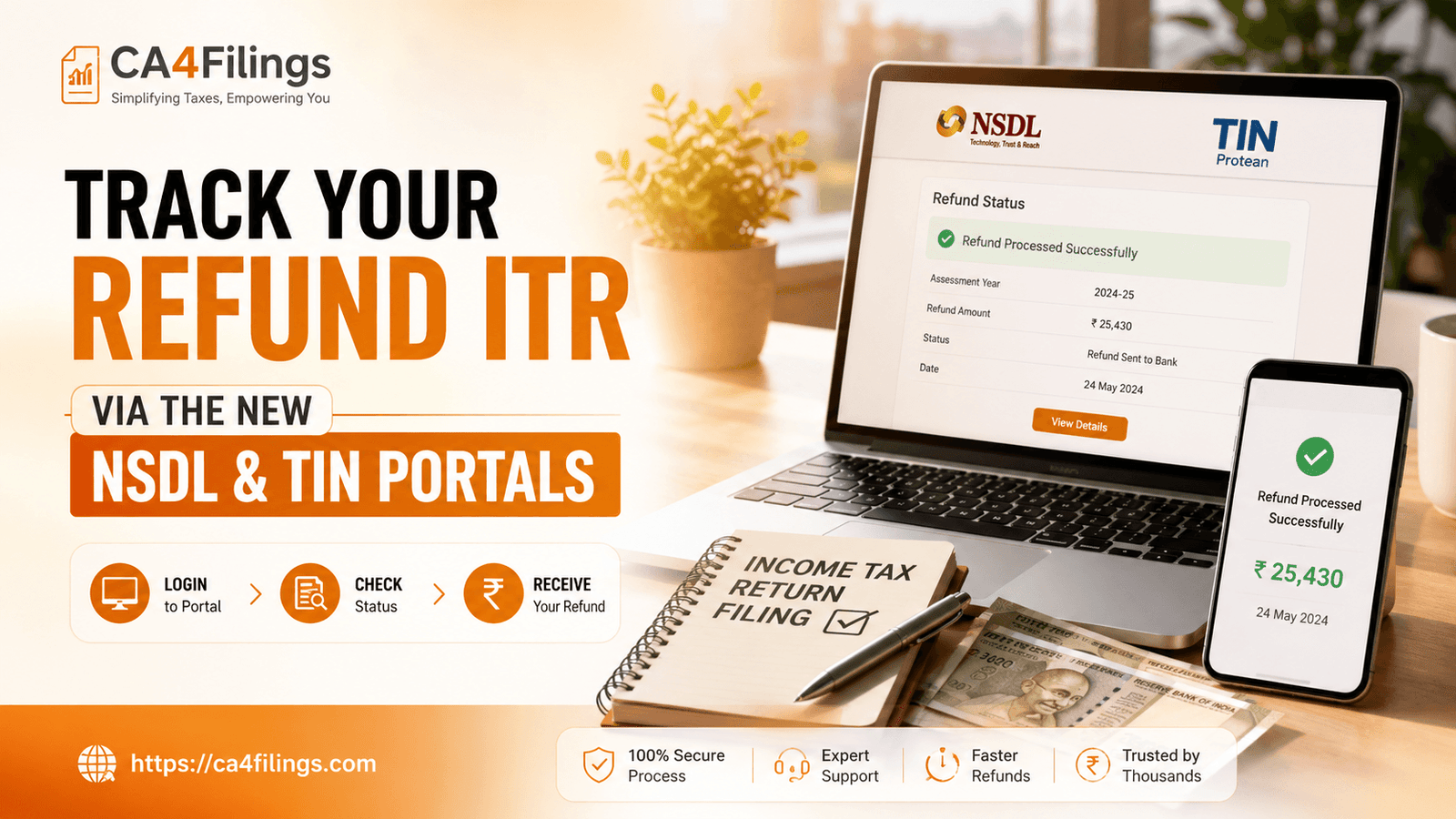
The wait for your tax refund can often feel like watching a pot of water boil. You’ve filed your return, double-checked your calculations, and now you’re just waiting for that notification that the money has hit your bank account. As tax consultants at CA4Filings, we often receive queries from taxpayers anxious to know when their money will arrive. If you have recently completed your Income Tax Return Filing, tracking your refund itr status is the logical next step to stay ahead of the game.
In this guide, we will break down the simplest ways to check your income tax return refund status. Whether you prefer the comprehensive dashboard of the official e-filing portal or the quick, no-login method via the Protean (formerly NSDL) TIN portal, we’ve got you covered.
Why is Checking Your Refund ITR Status Important?
Monitoring your refund itr status is not just about satisfying curiosity; it is a vital part of your financial health. Sometimes, a refund might fail due to technical glitches, incorrect bank details, or a mismatch in your PAN-Aadhaar linkage. By staying proactive, you can identify these issues early.
If the status shows "Refund Failed," you can immediately initiate a "Refund Re-issue" request, saving you months of unnecessary waiting. Think of it as a routine check-up for your tax health—it keeps things running smoothly and ensures your money arrives where it belongs.
How to Check Your Refund Status via the Income Tax E-Filing Portal
The official Income Tax e-filing portal is your primary destination for all things tax-related. This is where you can view the complete lifecycle of your return, from submission to the final credit of your funds.
Follow these steps for an accurate refund itr check:
Log in: Visit the official Income Tax e-Filing portal and log in using your PAN or Aadhaar number and your password.
Navigate to Returns: Once on your dashboard, go to the 'e-File' menu and select 'Income Tax Returns'.
View Filed Returns: Click on 'View Filed Returns'. You will see a list of all the returns you have filed.
Check Details: Find the relevant Assessment Year and click on 'View Details'. This will open a detailed timeline of your return's status. If your return has been processed, the system will display the refund itr status, including the date of issuance and the amount credited.
Using the Protean (Formerly NSDL) Portal for a Quick Check
If you don’t want to log in and just need a quick update, the Protean (TIN) portal is a reliable refund tracking tool. This is particularly useful for those who want a swift status update without going through the two-factor authentication process of the main e-filing site.
Step 1: Visit the Protean (NSDL) refund status page.
Step 2: Enter your 10-digit PAN number accurately.
Step 3: Choose the correct assessment year selection from the dropdown menu (e.g., if you filed for FY 2025-26, select AY 2026-27).
Step 4: Enter the Captcha code and click 'Proceed'.
The system will instantly display whether your refund has been processed, is pending, or has been dispatched.
Understanding Refund Status Codes
When you track your refund itr, you might see various status codes. Here is what they usually mean in plain English:
Refund Processed: This is great news! It means the CPC has finished processing your return and your refund is on its way to your bank account.
Refund Failed: This occurs when the bank rejects the credit, often due to an inactive account, incorrect IFSC, or mismatch in name records. You must update your bank details and submit a re-issue request.
Adjusted Against Outstanding Demand: This happens when you have an unpaid tax liability from a previous year. The department automatically offsets your refund against that demand.
Pending for Processing: This simply means your return is still in the queue at the Centralized Processing Centre.
Expert Advice from CA4Filings
At CA4Filings, we always advise our clients to keep their bank accounts "pre-validated" on the e-filing portal well before the filing deadline. A pre-validated account ensures that there are no technical hiccups when the system attempts to credit your refund. Furthermore, ensure that your PAN is linked to your Aadhaar; without this, the system will not issue your refund, and your PAN may be rendered inoperative.
Frequently Asked Questions
1. Can I track my refund itr without logging in?
Yes, you can use the Protean (NSDL) portal to check your status by providing your PAN and the applicable Assessment Year.
2. How long does it usually take to receive an income tax return refund?
Once your return is processed, it typically takes anywhere from 7 to 45 days to credit the amount to your bank account, depending on current processing loads.
3. What should I do if my refund status shows "Refund Failed"?
Log in to your e-filing account, go to the 'Services' tab, and select 'Refund Re-issue'. Ensure your bank account is pre-validated with the correct details before submitting the request.
4. Why is my refund amount different from what I claimed?
The department may have adjusted your refund against an outstanding demand from a previous assessment year or disallowed certain claims during the automated processing under section 143(1).
5. Does the assessment year selection impact the refund tracking?
Absolutely. Always ensure you select the correct assessment year corresponding to the financial year for which you are claiming the refund.
Tracking your refund itr doesn't have to be a headache. By following the official channels and keeping your account details updated, you ensure that your hard-earned money reaches you without delay. Still feeling uncertain about your tax status or facing persistent issues with your filing? Let the experts at CA4Filings handle the complexities for you. Reach out to our team today for professional guidance and stress-free tax management.
Latest Updates
ca4filings.com Services



















-registration.png)