How to Read Your Intimation Notice Under Section 143(1) After Income Tax Return ITR
Received an intimation under Section 143(1)? Learn how to decode your income tax return itr notice with our expert guide from CA4Filings.
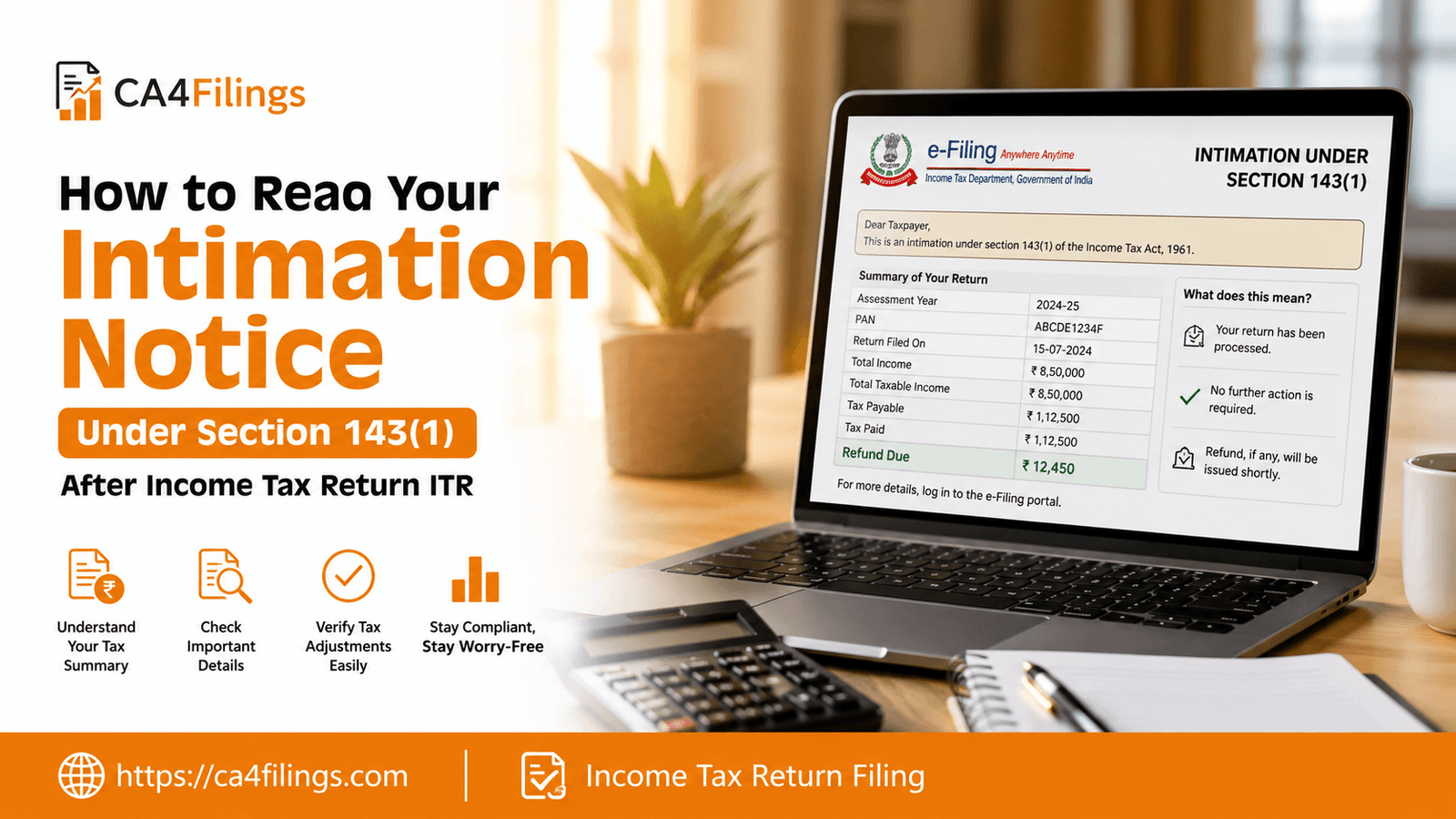
Getting an email from the Income Tax Department can feel a bit nerve-wracking, especially if it’s your first time receiving a notice. However, once you file your Income Tax Return Filing, the system automatically processes it, and the resulting document you receive is known as an intimation under Section 143(1). Think of it as a summary report card from the tax authorities. Whether you are an individual or a business owner, knowing how to read your income tax return itr intimation is crucial to staying compliant and avoiding unnecessary penalties.
At CA4Filings, we often see clients panic when they see the word "notice." Please breathe easy; most of these are routine automated communications. Let’s break down exactly what you need to look for so you can manage your tax affairs with confidence.
What is an Intimation Under Section 143(1)?
When you submit your income tax return itr, the Income Tax Department performs an automated exercise. They compare the data you provided with the data they have on record (like TDS statements, Form 26AS, and AIS).
This process is called processing status communication. The intimation is simply the result of this digital check. It confirms that your return has been processed and informs you if the tax department agrees with your calculations or if there are discrepancies.
Decoding the Sections of Your Notice
When you open the PDF attached to the email, don't just look at the final number. Here is a breakdown of the critical components you must verify:
1. The Summary Table (Comparison)
The most important part of the document is the table that compares the "Income as Provided by Taxpayer" with the "Income as Computed under Section 143(1)."
Income as Provided by Taxpayer: This is exactly what you or your accountant filled in.
Income as Computed: This is what the department calculated after their adjustments.
If these two columns match exactly, your return is accepted as filed. If they differ, the department has likely made prima facie adjustments.
2. Understanding Prima Facie Adjustments
Prima facie adjustments are minor corrections made by the tax system to fix obvious errors. These usually include:
Arithmetic errors in your calculations.
Incorrect claims of TDS that don't match the TDS certificates (Form 26AS).
Errors in carry-forward losses from previous years.
Discrepancies in claiming deductions under Chapter VI-A (like 80C or 80D).
3. The Final Result: Demand or Refund
After the adjustments, the notice will show one of three things:
Refund: The department owes you money, and it will be credited to your bank account soon.
Tax Demand Notice: You owe additional tax. This happens if the department found income you didn't report or disallowed a claim you made.
Zero Tax Liability Notice: This is the best outcome. It means your tax liability is nil, and no further action is required.
What to Do If You Receive a Tax Demand Notice
If you receive a tax demand notice, do not ignore it. The clock is ticking—you generally have 30 days to respond.
Verify the Demand: Check if the reason for the demand is legitimate. Did you forget to report interest income? Did you make a typo in your bank details?
Submit a Response: If you agree with the demand, you can pay the tax online via the e-filing portal. If you disagree, you must file a "Response to Outstanding Tax Demand" explaining why the demand is incorrect, attaching supporting documents.
Seek Professional Help: If the demand is large or confusing, reach out to us at CA4Filings. We can help you file a rectification request if the department made a mistake in processing your income tax return itr.
Frequently Asked Questions (FAQs)
I received an intimation, but I haven't received my refund yet. Is this normal?
Yes. The intimation is the assessment result; the actual refund is a separate administrative process. Once the intimation shows a refund is due, it is usually credited to your bank account within a few weeks.
Can I file a revised return if the intimation notice shows errors?
Yes, if you realize you made a mistake in your original income tax return itr that resulted in a demand, you can file a revised return, provided the time limit for filing has not expired.
What is the difference between an intimation and a scrutiny notice?
An intimation is a computer-generated summary of your return processing. A scrutiny notice (under Section 143(2)) is a detailed examination by an Assessing Officer, usually triggered by specific red flags or irregularities.
How do I check if my notice is authentic?
Always access your intimation notice by logging directly into the official Income Tax e-filing portal. Never download attachments from suspicious emails that claim to be from the tax department but don't look professional.
Managing your income tax return itr involves more than just hitting the "submit" button; it requires monitoring the processing status to ensure everything is in order. Whether you are dealing with a simple zero tax liability notice or a complex tax demand, the team at CA4Filings is here to guide you through the process.
Don't let tax notices cause you stress. If you need expert assistance in reviewing your notice or ensuring your next filing is error-free, contact us at CA4Filings today. Let us handle the compliance while you focus on growing your business!
Latest Updates
ca4filings.com Services

























-registration.png)