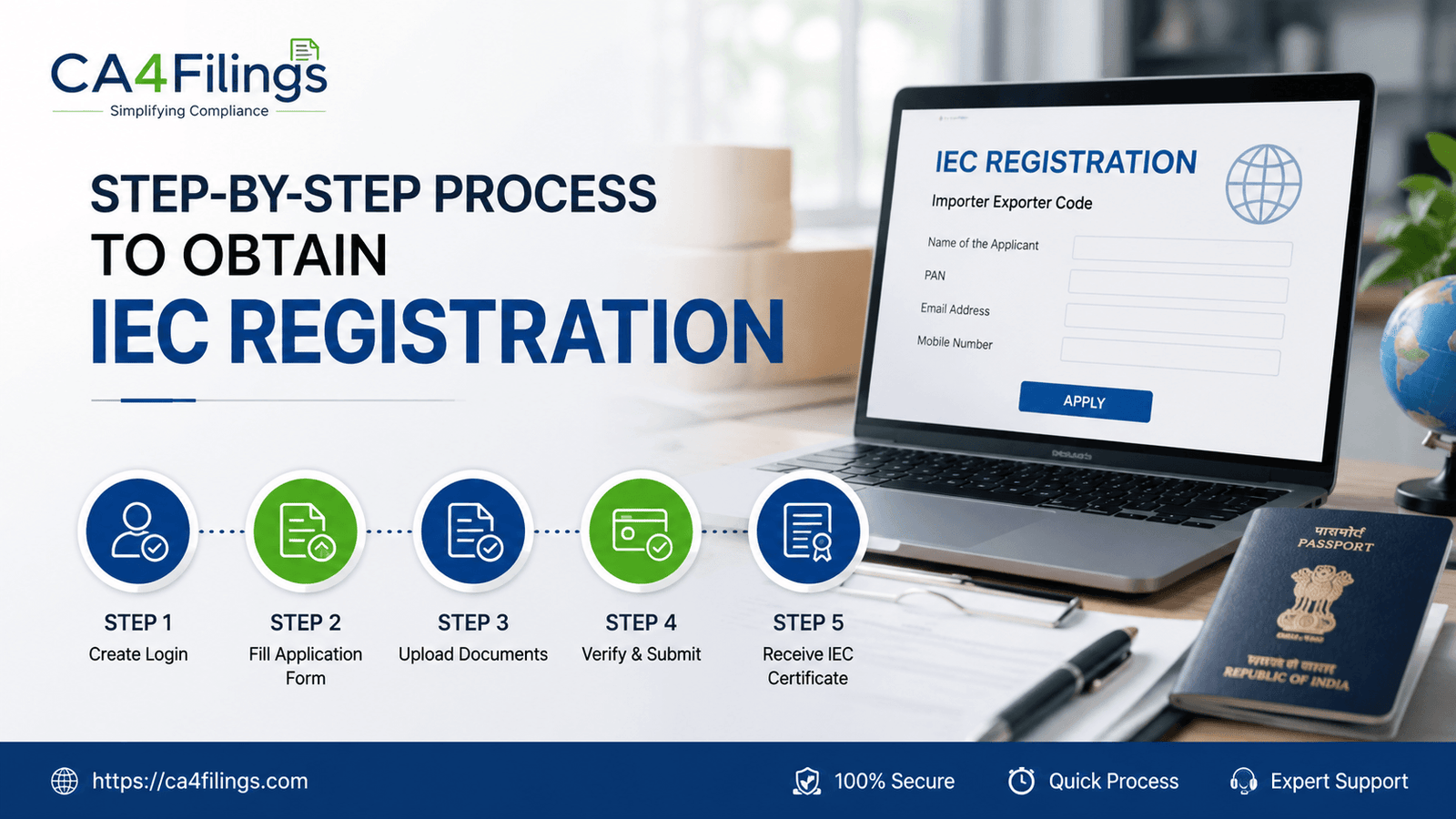
Step-by-Step Process to Obtain IEC Registration
Master the Step-by-Step Process to Obtain IEC Registration in India. Learn the documents required, fees, and expert tips from CA4Filings.
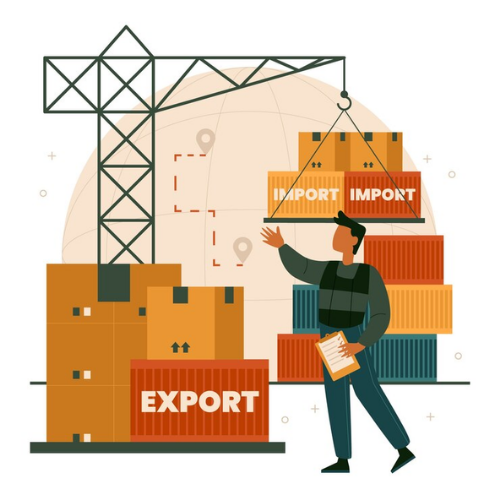
Imagine finding a brilliant manufacturer overseas who can supply you with premium raw materials at half the domestic cost. Or perhaps you have designed a unique product in India and found an eager market in Europe or the US. The growth potential is massive. However, before you can ship your first container or clear your first import consignment through customs, there is a crucial legal bridge you must cross. You need a unique 10-digit identifier known as the Importer-Exporter Code.
If you are wondering how to navigate the legalities, you are in the right place. At CA4Filings, we assist hundreds of entrepreneurs annually in scaling their businesses globally. In this comprehensive guide, we will break down the exact Step-by-Step Process to Obtain IEC Registration so you can kickstart your international trade journey without getting bogged down by legal jargon.
What is an Importer-Exporter Code and Why Do You Need It?
An Importer-Exporter Code (IEC) is a primary registration certificate issued by the Directorate General of Foreign Trade (DGFT), Ministry of Commerce and Industry, Government of India. Think of it as a permanent passport for your business to cross international borders. Whether you are a sole proprietorship, a partnership firm, an LLP, or a Private Limited Company, this code is mandatory if you plan on importing goods or exporting goods.
Without it, your international trade operations will hit a standstill. If you are importing goods, customs authorities will not clear your shipments at the port without an IEC. Similarly, when you are exporting goods, the custom regulations require your IEC to process the shipping bills. Furthermore, banks will not allow you to make or receive foreign currency remittances for trade purposes unless you provide a valid code.
Beyond compliance, getting your IEC Registration unlocks several benefits, such as government incentives, export subsidies, and duty drawbacks under various Export Promotion Councils.
Key Pre-requisites Before Starting Your IEC Application Process
Before we dive into the actual online application, you need to ensure your business foundation is ready. The government has digitized the entire mechanism, linking it directly with your Permanent Account Number (PAN).
PAN is Your Base: Your IEC will be identical to your PAN. However, you still need to formally apply to the DGFT to activate your PAN as an authorized import license and export license.
Active Bank Account: You must have a valid current or savings bank account under the name of the business entity.
Digital Signature/Aadhaar OTP: To submit the form online, the authorized signatory will need either an active Class 3 Digital Signature Certificate (DSC) or an Aadhaar card linked to a mobile number for OTP verification.
Documents Required for IEC Registration
One of the biggest reasons applications get delayed or rejected is incorrect documentation. To ensure a smooth run, gather these clear, scanned copies (preferably in PDF or JPEG format under 5MB) before you start:
Proof of Identity and Address: PAN Card of the business entity (or individual in case of proprietorship). Passport, Voter ID, or Aadhaar Card of the proprietor, partners, or directors.
Business Entity Proof: Incorporation Certificate (for companies), Partnership Deed, or Registration Certificate.
Bank Account Proof: A cancelled cheque leaf showing the pre-printed name of the business entity/individual, or a formal bank certificate.
Address Proof of Business Premises: A registered sale deed, rent agreement, or lease deed. Additionally, a recent utility bill (electricity or landline telephone bill) in the name of the premises is required. If the property is rented and the bill is in the landlord's name, a No Objection Certificate (NOC) is mandatory.
Detailed Step-by-Step Process to Obtain IEC Registration
The system is hosted completely online on the official DGFT portal. Let's walk through the actual step-by-step process to obtain IEC registration seamlessly.
Step 1: User Registration on the DGFT Portal
Go to the official DGFT website. Click on the "Apply for IEC" or "Register" button on the top right. Select your user type as "Exporter/Importer". Fill in your basic details like name, email, mobile number, and your PIN code. Select your state and district, then generate an OTP. Once verified, you will receive your login credentials via email.
Step 2: Logging In and Initiating the Application
Log in using your newly created credentials. On the user dashboard, locate and click on "Apply for IEC". The portal will open a comprehensive digital form titled ANF-2A (Application Form for Issue of Importer Exporter Code).
Step 3: Entering General Entity Details
Here, you will input your core business metrics. Enter your PAN, name as per PAN, date of birth or incorporation, and choose your entity type (e.g., Proprietorship, Private Limited, LLP). The system will validate your PAN details against the Income Tax database in real-time.
Step 4: Adding Address and Stakeholder Details
Input your primary business address accurately. Ensure it matches your uploaded address proofs exactly. Next, enter the details of the stakeholders. If you are a proprietor, enter your personal details. For partnerships or companies, you must add the names, PANs, and addresses of all partners or directors.
Step 5: Bank Account Integration
Enter your bank account number, IFSC code, account holder’s name, and bank branch details. You will need to upload your cancelled cheque or bank certificate here. This allows the customs authorities to process direct electronic refunds or incentives later on.
Step 6: Selecting Preferred Sectors
The portal will ask you to identify your preferred sectors of operations (e.g., textiles, electronics, agricultural goods). This is primarily for statistical and policy-making purposes by the government and does not restrict you from trading in other legal items.
Step 7: Fee Payment
Once all fields are accurately filled, navigate to the payment gateway. The official government application fee is ₹500. You can pay this securely via net banking, debit cards, credit cards, or UPI.
Step 8: Preview and Final Submission
Before signing off, look at the comprehensive summary preview of your application. Double-check names, PAN digits, and address alignments. Once satisfied, click on "Submit". You will be asked to sign the document digitally using your Aadhaar OTP or Digital Signature (DSC).
Once successfully submitted, an E-IEC (Electronic Importer-Exporter Code) will be generated automatically by the system if no discrepancies are found. You can easily download and print your formal certificate.
Navigating Customs and Import Regulations Post-Registration
Obtaining your code is your entry ticket, but running a compliant cross-border business requires staying updated on general import regulations and export regulations. The Indian customs regulations are dynamic.
For instance, certain goods fall under the restricted, prohibited, or canalized categories. An basic IEC alone will not let you import restricted items; you would need special clearances from specific ministries. Furthermore, post-registration, you must link your IEC with the ICEGATE (Indian Customs Electronic Gateway) portal to manage custom duties, track shipments, and file bills of entry smoothly.
Expert Tips to Avoid Application Rejections
As CAs handling corporate filings daily, we see minor oversight lead to avoidable delays. Here is our expert advice:
Clear Text on Documents: Ensure your uploaded cancelled cheque has the company name printed clearly. Handwritten or blurry names lead to instant rejection.
Name Consistency: The name on your PAN card, bank account, and address proof must match letter-for-letter. Even a minor spelling variance can stall the auto-approval system.
Active Mobile Numbers: Keep your Aadhaar-linked mobile number handy during submission, as the final OTP expires quickly.
Frequently Asked Questions
What is the validity of an IEC license?
An IEC is granted for a lifetime and does not have an expiry date. However, as per recent foreign trade updates, every IEC holder must update their details on the DGFT portal annually between April and June. Even if there are no changes, a simple annual validation confirmation is mandatory to keep the code active.
Can an individual get an IEC registration India?
Yes. Anyone who owns a sole proprietorship business or even individuals looking to import or export goods for personal use (subject to certain limits) can apply using their individual PAN card.
Is it necessary to file regular returns for IEC?
No, unlike GST or Income Tax, there are no monthly or annual returns required specifically for an Importer-Exporter Code. You only need to fulfill the annual updating requirement on the DGFT portal.
Can I have multiple IECs against a single PAN?
No. Only one registration is allowed per PAN. If you run multiple business verticals under the same PAN, they must all share the same code.
Let CA4Filings Simplify Your Global Expansion
Mastering the Step-by-Step Process to Obtain IEC Registration is the defining first step toward taking your brand global. While the online platform has simplified the interface, matching documentation criteria, managing sector selection, and aligning with evolving foreign trade policies can still feel overwhelming for a busy business owner.
At CA4Filings, we handle the entire IEC registration procedure end-to-end. Our team of experienced professionals ensures your paperwork is perfect, your application is processed flawlessly, and your business stays fully compliant with all prevailing customs guidelines. Let us handle the compliance desk while you focus on capturing global markets. Reach out to CA4Filings today, and let's get your international trade journey started!
Latest Updates
ca4filings.com Services
























-registration.png)