Navigating the Invoice Management System (IMS) for Perfect Returns
Master the new Invoice Management System (IMS) to simplify your GST return filing process. Get expert tips from CA4Filings to ensure compliance and accuracy.
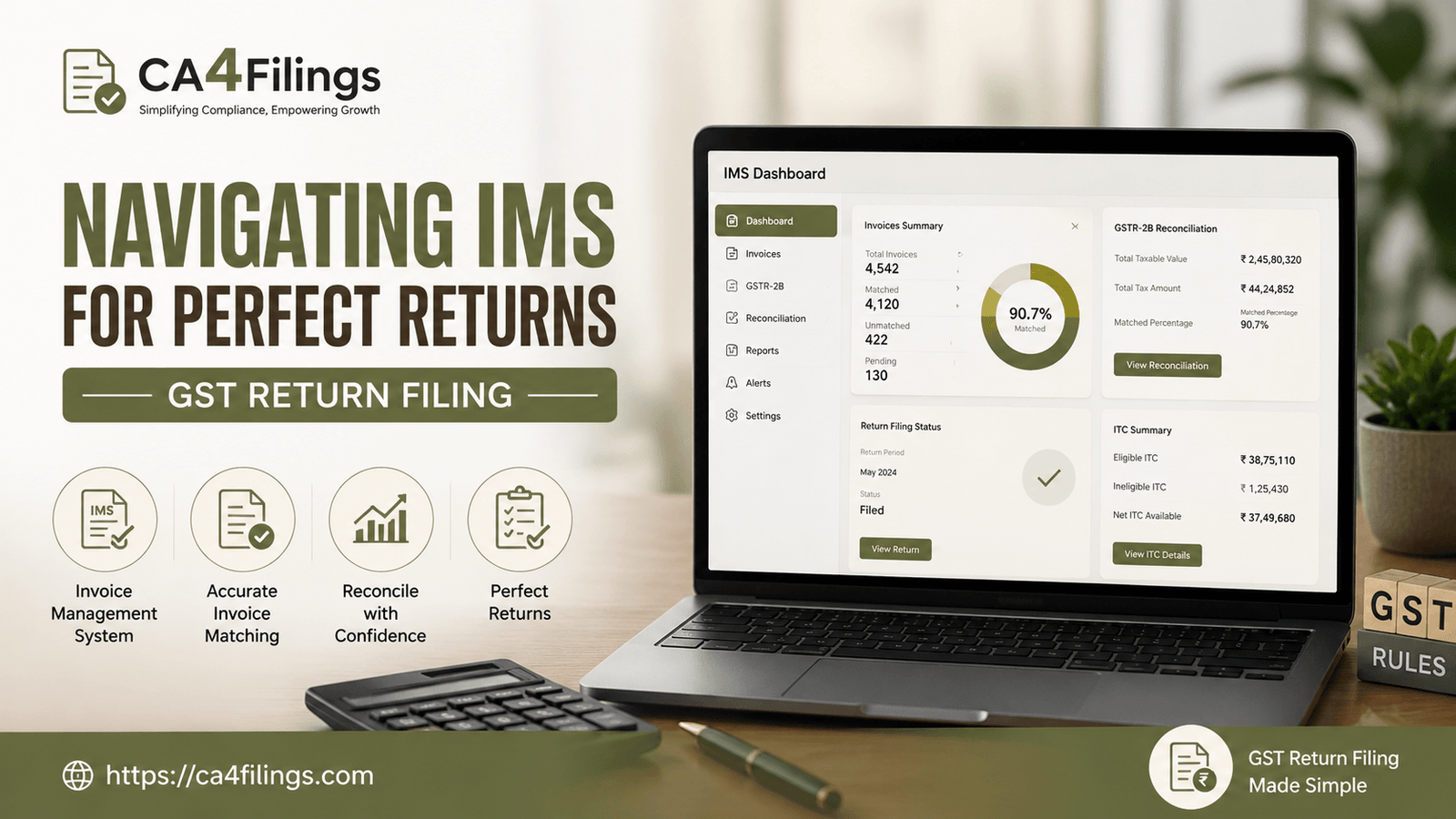
Managing GST compliance in India has certainly evolved over the years, and for many business owners, keeping up with these changes feels like a full-time job. Recently, the introduction of the Invoice Management System (IMS) has brought a significant shift in how we handle our inward supplies. Whether you are a small business owner or managing a large enterprise, staying ahead of these updates is crucial for error-free gst return filing. At CA4Filings, we understand that navigating these technical portals can be overwhelming, which is why we specialize in GST Return Filing to ensure your business remains compliant without the stress.
The goal of the new IMS is simple: to bring transparency and accuracy to your credit claims. Let’s dive into how you can use this system to your advantage and ensure your records are always audit-ready.
Understanding the Role of IMS in Your GST Journey
The Invoice Management System is essentially a bridge between the supplier’s outward supply data (GSTR-1/IFF) and your own GSTR-2B. Before this, discrepancies between what a supplier uploaded and what you claimed were common, leading to notices. Now, with IMS, you have a centralized dashboard to view, verify, and act upon invoices before they reflect in your final liability statement.
For a business owner, this means you are no longer a passive recipient of data. You are now an active gatekeeper of your input tax credit. By actively engaging with the system, you facilitate a smooth tax cycle that reduces the risk of missed credits or disputed claims.
Key Actions: The IMS Accept Reject Option
The most powerful feature of the new system is the ims accept reject option. When your suppliers upload invoices, they appear in your dashboard. You have three primary choices:
Accept: You agree that the details are correct. The invoice will be processed for your input tax credit.
Reject: If the GSTIN is wrong, or if the goods/services were not received by you, you can reject the invoice. This notifies the supplier to make the necessary corrections.
Pending: You can keep the invoice in a pending state if you need more time to verify the supply or clarify details with the vendor.
Pro-Tip from CA4Filings: Don’t wait until the last day of gst return filing to take action. Make it a weekly habit to log in and update your invoice status. This prevents a massive backlog at the end of the month.
Mastering Pending Invoice Tracking
One of the biggest pain points we see at our firm is businesses losing out on money because they lost track of pending transactions. Effective pending invoice tracking is the secret to maintaining a healthy cash flow.
When you use the dashboard effectively, you can categorize invoices that are under dispute or missing documentation. By keeping a close watch on these "pending" items, you ensure that you don't accidentally leave tax credits on the table. If an invoice remains in "pending" for too long, it’s a red flag that you need to follow up with your vendor immediately.
Handling Credit Note Amendments and Corrections
We often see errors in how credit notes are reported. Under the new system, credit note amendments are much more visible. If a supplier issues a credit note that doesn't match your books, you now have the ability to flag it through the IMS.
This transparency is excellent for gst return filing because it ensures that your purchase ledger and the government portal are always in sync. Always cross-verify these amendments with your internal accounting software (like Tally or Zoho) before hitting "Accept."
Why Accurate Input Tax Credit Claiming Matters
The primary purpose of all these features is input tax credit claiming. In the Indian tax structure, your ITC is your working capital. If your ITC is blocked or denied because of a mismatch in the portal, your tax outflow increases unnecessarily.
Using the IMS ensures that:
You only pay tax on the net value added.
Your vendors are held accountable for uploading correct data.
You minimize the chances of receiving a GST notice from the department.
Frequently Asked Questions
1. Is it mandatory to use the IMS for every invoice?
While it is highly recommended to manage your invoices through the system, the platform is designed to make your life easier. Active participation ensures that your GSTR-2B is accurate, which is essential for accurate gst return filing.
2. What happens if I forget to "Accept" an invoice?
If no action is taken, the system may default to a certain status depending on the notification rules, but relying on defaults is risky. Always take manual control to avoid potential mismatches.
3. Can I change the status of an invoice after I have accepted it?
Generally, once an action is finalized for a tax period, it is difficult to reverse. This is why we advise our clients to double-check all entries before confirming them.
4. How does IMS help in gst return filing?
It organizes your inward data systematically, reducing the time you spend on reconciliations during the final stage of gst return filing.
Transitioning to the new Invoice Management System might feel like adding another layer of work, but when managed correctly, it is a massive upgrade for your business efficiency. By staying consistent with your gst return filing and actively monitoring your dashboard, you protect your business from unnecessary tax burdens.
If this feels like too much to handle alongside running your business, you don't have to do it alone. At CA4Filings, we handle the complexities of the portal so you can focus on growing your revenue. Let us help you streamline your compliance today. Reach out to our expert team and ensure your business is always on the right side of the law.
Latest Updates
ca4filings.com Services
























-registration.png)