Step-by-Step Guide to Obtaining a Digital Signature Certificate in India
Looking for a seamless way to secure your online transactions? Check out our Step-by-Step Guide to Obtaining a DSC in India for hassle-free filing.
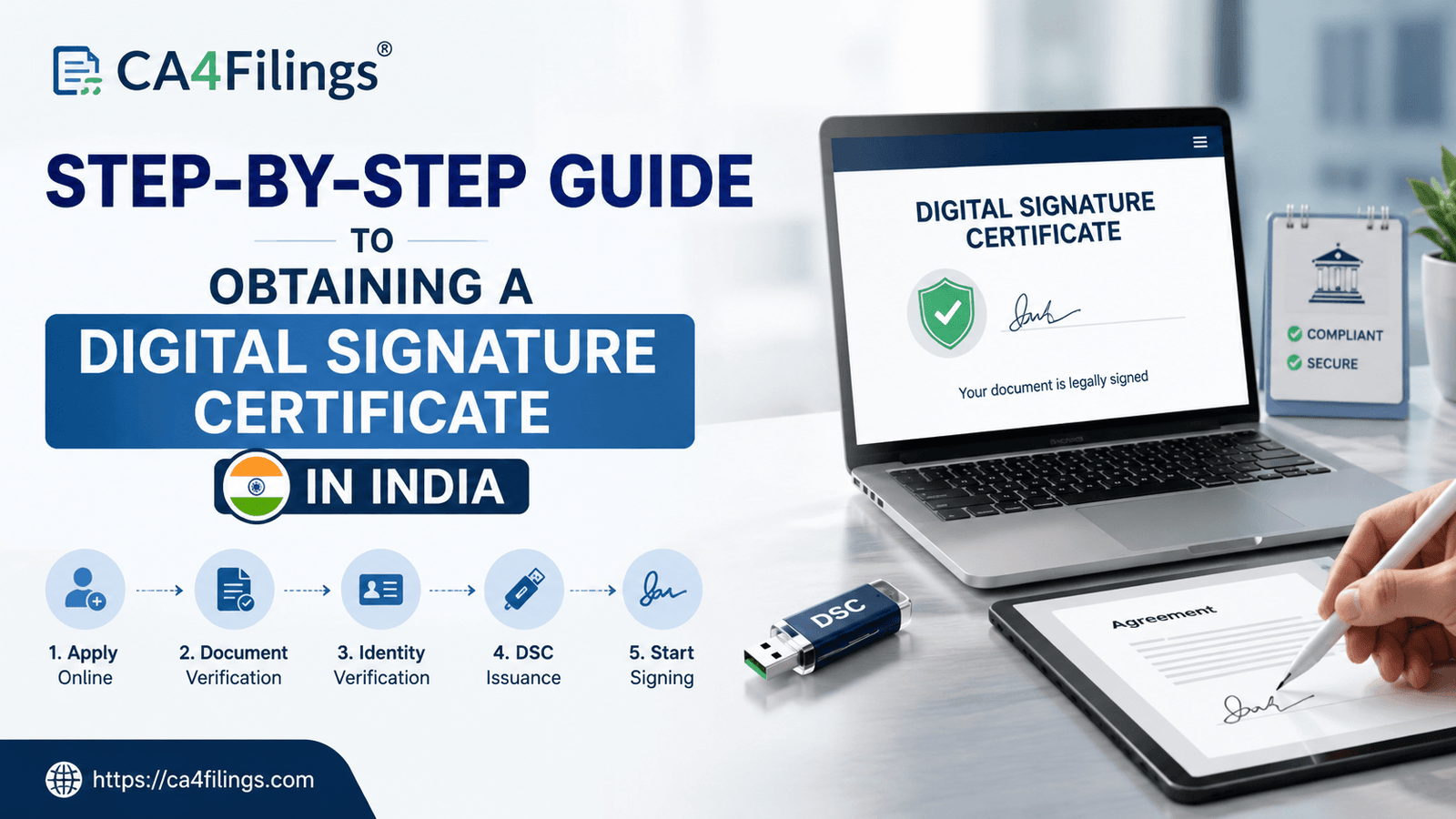
In today’s fast-paced corporate world, paper trails and ink signatures are rapidly becoming a thing of the past. Whether you are registering a new company, filing income tax returns, or bidding for government e-tenders, everything has moved online. But how do you ensure that your digital documents are completely secure and legally binding? The answer lies in a digital signature certificate. If you are an entrepreneur or a professional trying to navigate this modern compliance landscape, you are in the right place. In this blog, we at CA4Filings bring you a comprehensive Step-by-Step Guide to Obtaining a Digital Signature Certificate in India.
Over the years, we have seen hundreds of business owners face unnecessary delays just because they applied for the wrong type of certificate or submitted incorrect documents. To save you that headache, we offer seamless DSC (Digital Signature Certificate) Registration services tailored to your exact professional needs, making the transition to paperless compliance completely effortless. Think of a digital signature as your electronic passport—it validates your identity online and protects your sensitive documents from tampering. Let’s dive straight into how you can secure yours.
Understanding the Basics: What is a DSC?
Before we jump into our details, let’s quickly break down what this tool actually is. A digital signature certificate, commonly abbreviated as DSC, is a secure digital key issued by licensed Certifying Authorities (CAs) under the Information Technology Act, 2000.
Unlike a standard electronic signature—which could simply be a scanned image of your handwritten signature—a true digital signature relies on public-key cryptography. It provides high-level online authentication and establishes the sender's identity with absolute legal validity. When you sign a document digitally, it attaches a unique cryptographic code that breaks if anyone tries to alter the contents after signing. This makes it an indispensable tool for secure transactions across various government platforms in India.
Key Benefits of Having a Digital Signature Certificate
If you are still wondering why your business needs a DSC, let’s look at some of the undeniable benefits it brings to your daily operations:
Unmatched Security: Every digital signature uses advanced encryption to ensure that your corporate data cannot be forged or manipulated.
Legal Validity: Under Indian law, a digitally signed document is legally equivalent to a physically signed paper document in a court of law.
Time and Cost Efficiency: Instead of printing, signing, scanning, and couriering physical contract bundles, you can authorize documents with a single click. This drastically accelerates your business workflows.
Global Accessibility: It enables seamless online transactions, allowing you to sign international trade agreements, vendor contracts, or compliance forms from anywhere.
The Prerequisites and Requirements Before Applying
To ensure your application process goes off without a single hitch, you need to gather your paperwork beforehand. The requirements vary slightly depending on whether you are applying as an individual or an organization.
For Indian Individuals:
Proof of Identity: Self-attested copy of PAN Card (mandatory for tax filings).
Proof of Address: Self-attested copy of Aadhaar Card, Voter ID, Driving License, or recent Bank Statement.
Contact Details: An active, unique mobile number and email ID for OTP verification.
For Indian Organizations (Companies/LLPs/Partnerships):
Organization Proof: Incorporation Certificate, Partnership Deed, or GST Registration Certificate.
Authorized Signatory Proof: Board Resolution or Authorization Letter naming the applicant.
Identity Proof of the Authorized Person: Copy of the authorized person's PAN and Aadhaar card.
Step-by-Step Guide to Obtaining a Digital Signature Certificate in India
Getting your digital key might look overwhelming with all the technical jargon around it, but if you break it down into structured phases, it is quite straightforward. Here is the definitive manual to help you clear the process smoothly.
Step 1: Identify Your Required Class of DSC
The very first step is knowing exactly why you need the certificate. Previously, certificates were classified into Class 1, Class 2, and Class 3. However, to upgrade security infrastructure, the Controller of Certifying Authorities (CCA) discontinued Class 2. Now, Class 3 DSC is the gold standard used for all purposes in India. Whether you need it for Income Tax filing, MCA portal transactions, EPFO logins, or high-security Government e-Tenders, a Class 3 certificate is what you must select.
Step 2: Choose Your Validity Period
Typically, you can choose a validity period of 1 year, 2 years, or 3 years. At CA4Filings, we generally advise our clients to opt for a 2 or 3-year validity. This prevents the hassle of annual renewals and protects you from sudden compliance expirations right before crucial filing deadlines.
Step 3: Log into a Licensed Certifying Authority or Partner Portal
You cannot issue a certificate to yourself. You must obtain it via a licensed Certifying Authority (such as eMudhra, Capricorn, or VSign) or through an authorized professional channel like CA4Filings. Navigating these portals directly can sometimes be confusing due to multiple technical fields, which is why having an expert handle your application process can save substantial time.
Step 4: Fill Out the Application Details Accurately
During the application, you will need to input your personal details exactly as they appear on your government IDs. Any mismatch between your name on your PAN card and your application form will lead to immediate rejection by the Certifying Authority.
Step 5: Complete Your Online Authentication (E-KYC)
Modern identity verification has become incredibly smart and fast. You can complete your e-KYC using your Aadhaar card via an OTP sent to your registered mobile number. If your Aadhaar is not linked to your current phone number, you will have to opt for a PAN-based traditional verification, which takes slightly longer.
Step 6: Complete Video and Mobile Verification
To prevent identity theft, the CCA mandates a quick video verification. You will receive a secure video link on your email or phone. You will need to click the link, record a short 20-second video displaying your original physical documents (PAN and Aadhaar) to the camera, and read out a specific verification code shown on the screen. Additionally, you will verify your mobile number through a final OTP.
Step 7: Make Payment and Download into a Secure USB Token
Once your video and data are verified, the authority approves your application. Your digital signature certificate is then ready to be downloaded. For security reasons, a DSC cannot be downloaded directly into your computer hard drive; it must be mapped onto a cryptographic, password-protected hardware device called a USB E-Token. Once mapped, your e-token is ready to execute safe online transactions.
Expert Tips from CA4Filings for Managing Your DSC
As experienced chartered accountants, we see clients make the same slip-ups repeatedly. Here are a few practical insights to keep your digital keys safe:
Never Share Your Token PIN: Your cryptographic token is your legal identity. Sharing the PIN is equivalent to handing over a blank signed check.
Keep Track of Expiry: Mark your calendar a month before your certificate expires. Renewing a valid certificate is much quicker than applying for a brand-new one from scratch after it has completely lapsed.
Keep Your Token Safe: If you lose the physical USB token, the certificate cannot be retrieved. You will have to pay for a new token and get the certificate re-issued.
Frequently Asked Questions (FAQs)
Q1. How long does the entire process take?
With our streamlined application process and instant online authentication, your certificate can be approved and ready within 30 to 60 minutes after you complete your video verification.
Q2. Can I use one DSC for multiple companies?
Yes! If you are a Director or an authorized partner in multiple firms, you can use your individual Class 3 DSC to sign documents and file returns on behalf of all those organizations on platforms like the MCA portal.
Q3. What happens if I input a wrong PIN multiple times into my USB token?
Most cryptographic tokens lock out permanently if you enter an incorrect PIN more than 10 times consecutively. If your token locks, it has to be unblocked or completely re-initialized, which deletes the digital certificate stored inside.
Q4. Can a foreigner apply for a digital signature certificate in India?
Absolutely. Foreign nationals who are directors in Indian subsidiaries can apply for an Indian DSC. However, their identity proofs and address documents must be apostilled or attested by the Indian Embassy in their respective native countries.
Embracing digital transformation is no longer optional for businesses operating in India—it is a critical necessity. Having a valid cryptographic key ensures your business keeps moving forward without regulatory bottlenecks. We hope this complete Step-by-Step Guide to Obtaining a Digital Signature Certificate in India gives you a clear understanding of how to get a digital signature certificate securely.
If you want to bypass the technical complexities, eliminate document errors, or need a secure USB token delivered directly to your doorstep, let the corporate experts at CA4Filings do the heavy lifting for you. Reach out to CA4Filings today, and let’s get your digital credentials set up flawlessly!
Latest Updates
ca4filings.com Services



















-registration.png)